A wrong phone number, price, or order limit can mislead customers. Start with the exact claim and the page linked beside it. Compare both with your current business records.
If the linked page is wrong, contact its owner. If it is accurate, report the AI answer.
Save the Wrong Detail Before Searching
AI answers can change when you repeat a question. Capture the original response before searching for its source.
- Copy the buyer question and the incorrect sentence.
- Save the date, AI service, location, and any linked URLs.
- Find a current company record confirming the correct information.
Imagine a packaging supplier in Jaipur with two minimum orders. Plain cartons start at 500 units; printed cartons require 2,000. An AI answer claims all cartons require 2,000 units. The figure is accurate for printed cartons, but wrong for plain ones.
Use an approved catalogue to confirm both quantities and their conditions. The minimum order changes with the carton type.
Read the Webpage Linked to the AI Answer
Open the link beside the wrong claim and search for the disputed words. Read the full product description, including nearby terms and exceptions.
When the linked page repeats the error, you have a specific publisher to contact. When the linked page is correct, the AI answer may have dropped an important condition.
For the Jaipur supplier, a directory might state that printed cartons need 2,000 units. Such a listing could be accurate. The AI answer becomes misleading when it applies that quantity to plain cartons.
OpenAI warns that ChatGPT Search citations can be incomplete or incorrect. A link is a starting point for checking a claim. It cannot reveal every source used to create an answer.
Look for Older Copies of the Same Detail
When a link offers no answer, search for the wrong words elsewhere. Google can help locate older pages and documents.
- For the carton example, search
"Company Name" "2,000" "Jaipur". - On your own site, try
site:example.in "minimum order". - For a wrong phone number, search the exact digits in quotation marks.
Replace the sample names and domain with your business details. Open each result before treating its description as current information. Old PDFs, supplier catalogues, marketplace listings, and directory pages may repeat earlier terms.
Similar Company Names Can Cause Another Problem
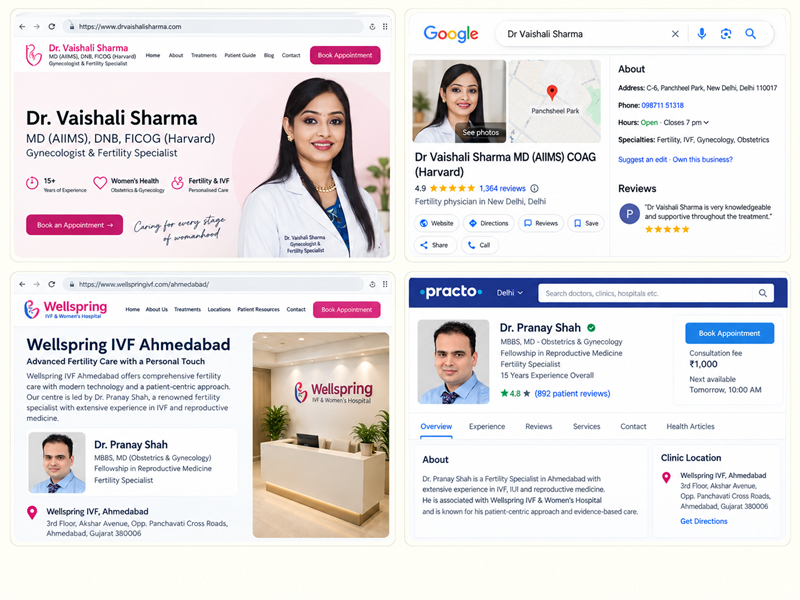
Consider two phone-repair shops with similar names in Kochi and Thrissur. Their opening hours and contact numbers may differ. Compare the official websites, city names, and phone numbers before requesting a correction.
If no public page supports the disputed claim, mark its source unknown. AI services can generate errors without a matching public page. OpenAI documents that limitation.
Match Each Problem With the Right Correction
A website owner can edit company pages but cannot edit another publisher directly. Use the location of the error to choose the next action.
| Where the error appears | Who should correct it |
|---|---|
| Your product page or downloadable catalogue | Your website or product team |
| A directory or marketplace listing | The listing owner or publisher |
| An incorrect Google Business Profile field | An eligible profile manager |
| A correct page paired with a wrong AI claim | The AI service, through feedback |
| Several websites repeating old details | Each publisher controlling an affected page |
| No supporting webpage found | Record the unknown source and report the response |
Different products can have different prices or order quantities. Product sizes, custom work, taxes, and offer dates can change the amount. Confirm those conditions before removing any figure.
Make Your Website the Current Reference
Customers should find the correct terms on the page where they buy or enquire. Use exact product names rather than one claim for an entire category.
For the Jaipur example, the product copy could state: Plain cartons start at 500 units. Custom-printed cartons require 2,000 units. Add the confirmed pack size, printing conditions, and quotation contact details alongside those amounts.
Old PDFs and Hidden Page Data
Replace old catalogues where possible. If an older PDF must remain accessible, identify its date and link readers to current terms. Review the same details on related product pages.
Ask your developer to inspect any structured data, sometimes called schema markup. It stores business information in page code for search engines. Google requires that information to match visible page content.
Request Corrections From Other Publishers
Where you manage a directory listing, use your business account to edit it. Otherwise, ask the publisher to correct the entry. Include the listing URL, old wording, replacement fact, and public proof link.
For the Jaipur example, an email can state: Our listing shows a minimum of 2,000 cartons for every order. Plain cartons start at 500 units, while printed cartons require 2,000. Please update the listing using our current product page.
When a Publisher Refuses the Edit
Reopen the listing and confirm that the error remains. Reply with the specific sentence and proof page. Follow the publisher support process if the original request fails. Save the correspondence and leave your own current terms visible online.
Google Business Profile has separate edit controls. Google can mark changes as pending or rejected, with an appeal available for some declined edits. Its official help page describes those statuses.
Report an AI Error When the Public Facts Are Correct
An AI answer may miss a condition even when the linked page is accurate. Use the feedback option in the AI service and include the original question, incorrect statement, and supporting URL.
For the Jaipur supplier, the feedback should distinguish plain cartons from printed cartons. Point to the current product details without sending private company records.
ChatGPT has response feedback controls. Google AI Overviews also offers a way to report incorrect answers. Feedback requests review and carries no guarantee of a revised answer.
When Google Search Still Shows an Old Description
A corrected webpage may appear with an old description in Google Search. First confirm the live page contains the new information.
Request another crawl through Search Console for a page you manage. The Google Refresh Outdated Content tool serves a different purpose. It applies to changed or removed content on pages owned elsewhere, under specific conditions. It cannot remove information still visible on the live page.
Test the Original Question After the Correction
Use the original buyer question, city, and AI service for a new test. Save the answer, date, and linked webpages. Avoid including the correct quantity inside the question, since that would change the test.
Track two separate outcomes:
- Public information corrected. The relevant website or listing displays the approved fact.
- AI answer corrected. A later response also shows the right information.
The first result can happen without the second. A changed AI answer also cannot prove which website edit influenced it. If the error continues, inspect its current links for another outdated copy.
For a broader review of buyer questions and source links, see the AI search audit article from SEO Noida.

Manish Singh is Head of Generative AI at SEO Noida and has 14+ years of experience in SEO, UX, and digital marketing. He focuses on how Google and AI platforms find, interpret, and cite web content. His articles cover AI SEO, GEO, AEO, LLM SEO, entity optimization, content architecture, and visibility measurement, drawing on website audits and campaign work.