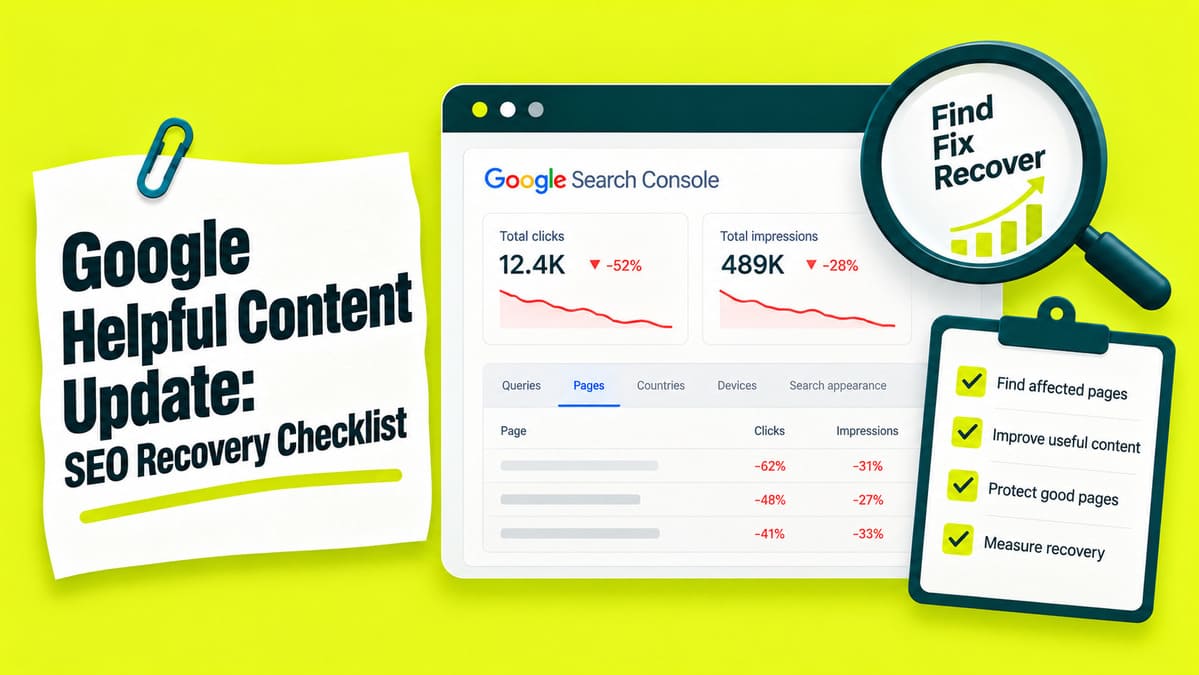
A useful recovery process starts with evidence, page decisions, and later measurement. The goal is practical: change pages for a documented reason.
Takeaways
1. Find the pages that lost Google traffic
Start inside Search Console and find URLs losing clicks. Look for losses lasting several days across full date ranges.
Pick dates that make sense
For core update reviews, wait until the rollout finishes. Google recommends at least one full week after completion before comparing results.
Compare that full week with an equal week before the update. Save both date ranges and your reason for choosing them.
Watch incomplete data
Search Console can mark fresh figures as preliminary. Leave those figures out of the main comparison until processing finishes.
Small click counts can create dramatic percentage changes. Longer matching periods can make those comparisons easier to trust.
Match report time
Daily Search Console reports follow Pacific Time. The 24-hour view follows your local browser time.
Convert website change times before comparing them with report dates.
Open the correct Search Console property
A Domain property covers HTTP, HTTPS, and included subdomains. A URL-prefix property covers addresses beginning with one entered prefix.
Ask the website owner for access or a dated export when needed.
The current click count should remain below the earlier count. Pages without a loss belong outside the affected group.
Compare exported rows with the report before treating the export as complete. Record old addresses beside replacement URLs where address changes occurred.
Compare the loss with website changes
Record when the loss began and when your team noticed it. Compare the first date with website changes and announced Google updates.
Check tracking edits, URL changes, navigation changes, and new articles. Search Status records can confirm major Google update dates.
Matching dates support an investigation, but timing alone cannot prove causation.
Review higher-value pages first
Look for concentrated losses across articles, services, folders, or shared templates. Compare lost clicks with the percentage decline before assigning work.
Prioritize pages readers use to solve problems, compare options, or contact you. Also review similar pages that maintained earlier performance.
When several page groups decline together, consider a broader SEO audit. It can compare content, access, templates, tracking, and competing pages.
Older losses need older records
Search Console provides a limited performance history window. Older losses require saved exports or another dated record.
Label every historical comparison with the dates your records actually cover.
2. Check possible causes of fewer Google clicks
A click decline can come from lower rankings, lower search interest, or weaker click-through rate. Analytics sessions can also change while Search Console clicks remain similar.
Read the three Search Console signals together
Turn on Total impressions, Average CTR, and Average position. Search Console defines these fields in its performance report documentation.
Impressions count each recorded appearance of your result in Google Search. Click-through rate tells you how many impressions became clicks.
Average position reflects the topmost result within the selected group. Compare the same queries where possible because query changes alter averages.
Calculate click-through rate
Match the report, dates, and filters for both totals. Calculate CTR only when total impressions exceed zero.
Add compatible clicks and impressions before dividing.
Match the pattern with the next check
| What changed | Check next |
|---|---|
| Analytics sessions fall while Search Console clicks remain similar. | Check tracking edits, consent choices, dates, and traffic sources. |
| Impressions fall while positions remain similar for matching queries. | Compare seasonal history and Google Trends. |
| CTR falls while impressions and positions change little. | Compare the displayed title and description with nearby results. |
| Average positions worsen across previously visible pages. | Check access in Section 3, then review the answer in Section 5. |
| Discover traffic falls while Web Search follows another pattern. | Review Discover separately from Web Search. |
Check search interest and result wording
Match the Google Trends country and dates with Search Console. Lower search interest can reduce impressions while positions remain similar.
For falling CTR, save the query, date, device, and country. Compare the displayed title with the answer on your page.
Titles and snippets can come from several page elements. Fix misleading titles, meta descriptions, headings, or passages creating the wrong expectation.
AI Overviews
Record AI Overviews beside other visible search features. Their presence alone cannot prove why a page received fewer clicks.
Measure Google AI Overviews and organic clicks separately from ranking changes.
3. Check Google warnings and blocked pages
Google warnings and page access failures need separate checks. A blocked page needs technical attention before another content rewrite.
Read Manual Actions and Security Issues
Open Manual Actions and Security Issues inside Search Console.
Google issues manual actions after human reviewers identify spam-policy violations.
When a manual action appears
When a security warning appears
Ask a qualified website security specialist to investigate the website. Avoid opening suspected infected pages during your own review.
Fix every listed issue and test affected pages before requesting review. Describe the problem, cleanup work, and test result in the request.
Core update ranking changes have no reconsideration request. An empty warning report also leaves other possible causes open.
A broader penalty recovery process should begin only after identifying the actual problem.
Check access and indexing in URL Inspection
URL Inspection separates indexed information from a live test. Google documents the difference in its URL Inspection help.
Enter the affected address inside the property covering that URL. An indexed page can qualify for search results.
A successful live test confirms current access. Current access cannot guarantee later inclusion in Google Search.
Compare indexed and live information
Inspect Crawl allowed, Page fetch, and Indexing allowed where available. Then compare Test live URL with the indexed record.
Open View tested page when available and find the main answer. Compare that returned answer with the published page.
The indexed record also lists Google-selected canonical. A noindex instruction tells Google to exclude a page from search.
Respond to the exact problem
Confirmed crawl, canonical, redirect, rendering, or indexing faults can move into technical SEO work.
The Page Indexing report also contains intentional exclusions and duplicates. For search pages, check links pointing toward them and sitemap entries.
Glenn Gabe documented a 2026 investigation involving broader property coverage. That review exposed gambling searches reaching a compromised www homepage. A narrower property view had left that address outside the report.
4. Decide which pages to retain, update, combine, or remove
Low traffic can identify pages worth reviewing. Low traffic alone cannot decide that a page has lost its value.
| Decision | Evidence needed | Practical next move |
|---|---|---|
| Retain | The page still answers a useful reader question accurately. | Leave the answer intact and fix separate technical faults. |
| Update | The page remains useful but contains errors or missing steps. | Fix the exact passage or missing detail. |
| Combine | Several pages answer the same question and share useful material. | Move useful material into one destination before redirecting old URLs. |
| Exclude from search | A documented publishing reason supports Google Search exclusion. | Record the reason and how readers will still reach the page. |
| Remove | The page has no useful remaining purpose or suitable replacement. | Check that readers can still find any information they needed. |
Before changing URLs
Save page copies, report exports, and old-to-new URL mappings. Record the content decision separately from technical work.
Google advises restraint around content deletion after core updates. Page length alone also provides no useful removal reason.
Set the right URL outcome
Moved pages
Choose a replacement page answering the original reader question. A 301 response marks a permanent move.
Google recommends maintaining redirects after a site move for an extended period.
Assign someone to maintain redirects from launch onward. Update internal links and sitemap entries after page moves or combinations.
Pages excluded from search
Google needs crawler access before reading a noindex instruction. Blocking crawling through robots.txt can stop Google from seeing it.
Search exclusion alone provides no evidence that other pages recovered. Private content needs access protection because noindex still allows direct visits.
Removed pages
A removed page without a suitable replacement can return 404 or 410. The server response should match the missing-page message shown to visitors.
Undecided pages
List the missing evidence beside each undecided page. Assign one person to collect the missing records.
Preserve established URLs when edits only change page content. Make unrelated redesigns, URL moves, and bulk rewrites at separate times.
5. Fix the missing answer before rewriting everything
A weak page rarely needs every sentence replaced. Start with the passage causing the problem.
A people-first content review compares the answer, evidence, and limits with the reader question.
Check what the reader came to find
The search query can indicate what someone expected. Compare your page title with the answer visitors actually receive.
The reader may need instructions, a comparison, pricing, or service details. Review current Google results for the same query and audience.
Record the query, date, country, and device. Compare the questions each competing page answers and the steps it provides.
Borrowing headings or word counts cannot replace missing information. Comparison pages need useful differences that help readers choose.
Add the detail needed for the answer
Start with the facts and steps required for the reader task. Place exceptions beside the instruction they change.
Record the passage change
Record where that reader needs extra help. Fix that passage and repeat the task.
Add practical detail where needed
Replace outdated steps after checking the current official instructions. Add original information only when it answers an unresolved question.
A source comparison or documented test can help when it changes your advice. Pages with good intent may need improving existing content before considering a complete rewrite.
Remove copy that gets in the way
Cut repeated answers, unrelated introductions, and sentences inserted only for keywords. Preserve details that change decisions or prevent mistakes.
Place the full answer inside the section addressing that question. Repeat essential conditions beside instructions readers may follow separately.
6. Show where facts and advice come from
Important claims need evidence readers can inspect. Published findings and your recommendations should remain easy to separate.
Match claims with sources
Link each factual claim to its supporting source. For reported results, include dates, measurements, comparison groups, and original records.
Separate the event date from the source update date. State only conclusions the cited material supports.
HouseFresh publishes an air purifier testing method describing particle removal, noise measurement, and electricity use.
Name the author and the work behind the article
E-E-A-T covers experience, expertise, authoritativeness, and trustworthiness. Google discusses E-E-A-T as a quality concept, separate from one ranking factor.
Name the author or editorial organization responsible for publication. Describe experience through work readers can verify.
Name a reviewer only after that person reviews the material. Separate published-source research from tests or client work actually performed.
7. Stop the same mistakes spreading across more pages
When one shared note or template contains an error, fix the shared input first. Then check every page depending on it.
Review shared inputs
Reusable layouts can still work when each page answers its own reader question. For widespread losses, check shared sources, templates, and publishing checks.
Similar symptoms can still need different fixes on individual pages.
Review AI content and publishing purpose
Check AI-generated content for factual errors and missing answers. The writing tool alone cannot establish answer quality.
Google targets scaled content abuse when ranking manipulation primarily drives large amounts of low-value content.
Choose topics serving an existing or intended audience you can help. Assign one person to check later pages for the same recurring problem.
8. Test the page on a phone
A mobile check answers one practical question. Can someone read the page and complete its main task?
Confirm mobile users receive the same important information as desktop users.
Read the page
Read the text, check button labels, and test tables on screen. Record the device and browser beside each problem.
Check menus and notices
Scroll through the page and watch for menus or banners covering the answer. Required notices need working controls that let visitors reach the content.
Test available buttons, including reject and close options where present.
Test links and forms
Open useful links and confirm each destination works. The visible link wording should match the page it opens.
With permission, submit a test form and check the confirmation. Ask the intended recipient to confirm the test entry arrived.
Avoid sending unnecessary personal information during form testing. Repeat the task on another device only when the problem appears there.
Record what happened
Core Web Vitals measure loading, responsiveness, and visual stability. Strong scores alone cannot guarantee higher Google rankings.
Record the problem and the result from the repeated test.
9. Check that published changes actually work
Publishing a change and verifying a change are different jobs. Check the released page before judging later search performance.
Verify the published page
Check the crawl record
A live URL test can follow redirects. Check redirect status separately from the live URL test. Review indexed information inside URL Inspection after publication.
An older crawl record may describe a previous page version. Compare crawl and edit dates before judging the released change.
Request indexing when appropriate
Search Console owners or full users can request indexing through URL Inspection.
A missing request option may reflect account permissions. Check account access before diagnosing another page fault.
A sitemap can help Google discover larger groups of updated URLs. Repeated requests cannot make Google crawl the same address sooner.
10. Measure recovery on the original affected pages
A site total can rise while the pages that lost traffic remain weak. Recovery measurement should return to the original affected-page list.
Compare current clicks with earlier clicks
Compare current and earlier clicks for identical page groups. Match period length and report filters across both periods.
Baseline clicks are the recorded clicks from the earlier period.
Calculate the percentage only when earlier clicks exceed zero.
At 100%, the affected group receives the same click count as before. Below 100% indicates fewer clicks; above 100% indicates more.
A rise from the lowest point can still leave the group below its earlier level.
Glenn Gabe published an analysis of 400 previously affected sites. Those sites had been affected during the September 2023 Helpful Content Update. Some websites improved while remaining below earlier visibility levels.
That selected group cannot establish a universal recovery rate.
Check missing figures before calculating
Downloaded zeros need a quick check against the original report. Search Console can export some unavailable values as zeros.
A measured zero and an unavailable value are different states. Reporting limits can also leave rows missing.
Query tables omit anonymized searches and display a limited number of rows. Report totals can still include searches hidden from the table.
Apply an exact Page filter when a page row appears missing. Compare the same page across both periods.
Track included and excluded pages
Save the original export before cleaning or calculating anything. Log working changes in a separate analysis file.
Calculate changes only for groups with recorded counts in both periods. List every excluded page with its exclusion reason.
Record continuing losses even when the combined total rises. Report changes without claiming your edits caused every increase.
Include merged and removed URLs
Merged and removed addresses still belong in the original recovery record. List every old URL beside its replacement.
A new URL can replace older content or cover a different subject. Preserve earlier click records after removing the old public page.
Search Console credits most performance to the canonical URL. Check the canonical URL before treating a missing row as lost clicks.
Count a shared destination once within the combined group. Include that destination in both periods when it already existed.
Label the expanded comparison separately from original affected-page results. Combined totals cannot isolate each old page contribution.
Separate new-page growth from enquiries
New articles can raise site totals while older pages remain weak. Track new-page growth separately from the original affected pages.
Apply matching enquiry or sales definitions across both periods. Additional impressions alone cannot prove business growth.
Record tracking changes that prevent a fair business comparison. Mark enquiries or sales as unmeasured when records are unavailable.
Report three results separately
How long can recovery take?
Core update recovery has no fixed deadline or guaranteed outcome. Google describes improvements taking days or months to affect search results.
Some improvements can appear between major core updates. Other changes may need a later core update before effects appear.
Set dates for completing edits and reviewing results.
What to check when traffic remains below earlier levels
When clicks remain below earlier levels, revisit the original explanation. Compare the planned reader or technical result with what happened.
Choose the next check
Record the next decision
Ask someone with the required access to collect missing evidence. Record the event or date range that will trigger another review.
Preserve useful content while evidence remains incomplete. Choose a documented correction, collect missing records, or pause further edits.

Manish Singh is Head of Generative AI at SEO Noida and has 14+ years of experience in SEO, UX, and digital marketing. He focuses on how Google and AI platforms find, interpret, and cite web content. His articles cover AI SEO, GEO, AEO, LLM SEO, entity optimization, content architecture, and visibility measurement, drawing on website audits and campaign work.